
Buy SAN Storage in India with Omega Networks: Best Solutions, Features, Pricing and Provider

Storage stops being a simple purchase when databases, virtual machines, ERP systems, backups, and analytics workloads all need fast shared access. At that point, direct-attached disks and basic NAS can become a bottleneck. A Storage Area Network, or SAN, gives businesses a dedicated shared storage layer built for speed, uptime, and central control.

This guide covers how to buy SAN storage in India, what benefits to expect, how to compare providers, popular options available in the market, indicative pricing, and practical steps for implementation.
What SAN storage does for a business
A SAN is a dedicated high-speed network that connects servers to shared block-level storage. Servers see SAN volumes as local disks, even though the data sits on a central storage array.
That makes SAN useful for workloads that need low latency, high availability, and consistent performance.
Common SAN use cases include:
Virtualisation clusters using Proxmox, Hyper-V, Nutanix, or KVM
Microsoft SQL Server, Oracle, PostgreSQL, and MySQL databases
ERP and CRM platforms
Email and collaboration systems
VDI environments
Backup repositories and replication targets
High-performance file services through clustered file systems
Manufacturing, healthcare, finance, retail, and media workloads
SAN storage is different from NAS. NAS offers file-level access over protocols such as SMB or NFS. SAN offers block-level access over Fibre Channel, iSCSI, or NVMe over Fabrics. Many modern platforms support both SAN and NAS, but the design goal is different.
If the workload needs high input and output speed, predictable latency, multipath access, and shared block storage, SAN is usually the right fit.
Key benefits of SAN storage solutions
SAN is not the cheapest way to add capacity. It is used because it gives better control over performance, availability, and growth.
Better performance for critical workloads
SAN moves storage traffic away from the normal LAN. This reduces contention between user traffic and storage traffic.
A well-designed SAN can deliver:
Lower latency for databases and virtual machines
Higher IOPS for transaction-heavy applications
Faster boot and migration for virtual servers
Better response during peak business hours
Cleaner separation between compute and storage
All-flash SAN arrays and NVMe SAN storage increase this further. They use SSDs or NVMe drives instead of spinning hard drives. That helps with databases, analytics, VDI, and ERP workloads where delay affects users directly.
Centralised storage management
Without SAN, storage often sits inside separate servers. Each server has its own capacity, disk type, RAID setup, and backup method. This becomes hard to manage.
SAN centralises storage in one platform. Teams can create volumes, expand capacity, set performance tiers, apply snapshots, and assign storage to servers from one management interface.
This improves control. It also reduces wasted capacity because storage can be pooled and allocated where needed.
Higher availability
Business applications need uptime. SAN arrays are built with redundancy across controllers, power supplies, disks, ports, and paths.
A proper SAN design includes:
Dual controllers
RAID or erasure protection
Hot spare or distributed spare capacity
Multipath I/O from server to storage
Redundant switches
Replication to another site or cloud storage
Snapshots for quick rollback
This reduces single points of failure. If one controller, cable, port, or path fails, workloads can keep running through another route.
Easier growth
SAN scales better than direct-attached storage. Capacity can be added to the storage array, then assigned to servers as required.
This matters in India, where many businesses grow in phases. A company may start with 10 TB usable storage, then move to 50 TB or 200 TB as applications, CCTV, analytics, and backups grow.
The right SAN platform supports this growth without replacing the full system.
Better backup and disaster recovery
SAN platforms often include native snapshots, clones, and replication. These features help create backup points and recovery copies without heavy load on servers.
This does not replace a full backup strategy. But it improves recovery options.
For example:
Snapshots can restore a database volume after accidental deletion.
Replication can copy data to another data centre in Mumbai, Bengaluru, Chennai, Hyderabad, Delhi NCR, Pune, or another region.
Clones can create test or development copies without full extra capacity.
Stronger data protection and security
Many SAN systems support encryption, role-based access, secure management, auditing, and integration with enterprise authentication.
This is useful for regulated sectors such as BFSI, healthcare, government, and SaaS. It also helps businesses that need to meet internal audit, customer, or compliance requirements.
SAN technologies to know before buying
The term SAN storage covers different connection types and hardware designs. The best choice depends on workload, budget, skill level, and growth plans.

Fibre Channel SAN
Fibre Channel is a dedicated storage network technology. It is common in enterprise data centres that need very high reliability and low latency.
It is often used for:
Large virtualisation clusters
Core banking and finance systems
Enterprise databases
SAP and ERP workloads
High-uptime production systems
Fibre Channel usually costs more than iSCSI because it needs dedicated HBAs, FC switches, cables, and skills. It is also very stable when designed well.
iSCSI SAN
iSCSI runs block storage over standard Ethernet. It is popular with SMEs, mid-market companies, and branch data centres.
It works well when designed with:
Dedicated storage VLANs
10 GbE or 25 GbE networking
Redundant switches
Multipath I/O
Proper jumbo frame and MTU settings where supported
An iSCSI SAN usually costs less than Fibre Channel. It can still deliver strong performance for many workloads.
NVMe over Fabrics
NVMe over Fabrics, often called NVMe-oF, extends NVMe performance across a network. It reduces protocol overhead and can deliver very low latency.
It suits:
High-frequency database workloads
Analytics platforms
Large VDI environments
AI and machine learning data pipelines
Heavy virtualisation clusters
NVMe over Fabrics may use Fibre Channel, RDMA over Ethernet, or TCP. It is powerful, but it needs careful planning. Check host compatibility, switch support, and staff skills before buying.
Hybrid SAN
Hybrid SAN arrays combine SSDs and HDDs. Hot data sits on SSDs. Colder data sits on larger hard drives.
This helps reduce cost. It is suitable for mixed workloads, branch offices, and businesses that need capacity more than extreme speed.
All-flash SAN
All-flash SAN uses SSDs throughout the array. It gives better latency, lower power use, and higher performance density than hybrid arrays.
Choose all-flash when storage performance affects business output. Common examples include database systems, VDI, ERP, and high-density virtualisation.
Key factors when choosing a SAN provider in India
Buying SAN is not only about hardware. The provider matters because design, installation, support, warranty, spares, and upgrades affect long-term results.
Reliability and architecture
Check the storage design first. Good SAN architecture avoids single points of failure.
Ask these questions:
Does the array have dual active controllers?
Are power supplies redundant?
How does the system handle disk failure?
Does it support non-disruptive firmware upgrades?
Can hosts use multipath I/O?
Are replication and snapshots included or licensed separately?
What uptime commitment does the vendor publish?
Are spares available in India?
Do not buy only on raw capacity. Reliability features matter more than headline terabytes.
Scalability
Storage needs grow fast. Choose a platform that can grow in capacity and performance.
Check:
Maximum raw and usable capacity
Expansion shelf support
Controller upgrade path
Supported drive types
Ability to add SSDs or NVMe drives later
Maximum LUNs, volumes, hosts, and snapshots
Scale-up or scale-out support
A lower-cost entry model may look attractive. But if it reaches limits in 18 months, the total cost becomes higher.
Support quality
Support is a major buying factor in India. Hardware failure during business hours is painful. Failure during month-end, billing, dispatch, or audits is worse.
Ask for:
24x7 support options
Four-hour or next-business-day response
Onsite support coverage in your city
Local spares depot availability
Named escalation contacts
Firmware and security update process
Health checks during renewal
Support for migration and integration
For critical production systems, choose enterprise support. The saving from a lower support tier rarely justifies the risk.
Compatibility with existing infrastructure
A SAN storage server or array must work with current systems. Check compatibility before purchase.
Review:
Server brands and models
Operating systems
Hypervisor versions
HBAs or NICs
Switches
Backup software
Database platforms
Monitoring tools
Rack space, power, and cooling
Ask the vendor for a compatibility matrix. Do not rely on verbal confirmation.
Performance under real workloads
Storage vendors often quote maximum IOPS and throughput. These numbers may come from ideal lab tests.
Ask for performance in terms that match your workload:
Random read and write IOPS
Latency at normal and peak load
Mixed read-write performance
Performance with snapshots enabled
Performance after drive failure
Compression and deduplication impact
Number of virtual machines supported
Database transaction profile
If the project is large, request a proof of concept or reference architecture.
Licensing and feature costs
Some SAN devices include most features. Others charge separately for replication, snapshots, encryption, analytics, and management.
Before signing, ask for a full bill of materials.
Check whether the price includes:
Base array
Controllers
Drives
Drive shelves
Fibre Channel or Ethernet ports
Transceivers and cables
Switches
Host adapters
Licences
Installation
Warranty
Support
GST
Annual maintenance after the first term
This avoids budget shocks later.
Vendor presence in India
Choose a vendor and partner with a real India footprint. National coverage matters if the business has branches or data centres across states.
Look for:
Authorised partner status
Certified implementation engineers
Local spare parts access
Support coverage in your region
Experience with similar deployments
Clear renewal and upgrade process
Popular SAN storage options available in India
The Indian market includes global enterprise brands, mid-range systems, and value-focused arrays. Availability and pricing change with configuration, exchange rates, support terms, and channel discounts.
The pricing below is indicative only for India. It can vary by city, partner, GST, support level, drive mix, usable capacity, and bundled services. Always request a formal quote.

SAN option available in India | Best fit | Notable features | Indicative India pricing |
Omega Networks | All-market and enterprise workloads | NVMe architecture, block and file support, data reduction, snapshots, replication, Proxmox integration | Often starts from the mid-lakh range for small configs and can go into ₹20 lakh to ₹1 crore plus for larger setups |
Dell PowerVault ME5 | SMEs and departmental SAN | Hybrid or all-flash options, Fibre Channel and iSCSI support, simple management, good entry price | Commonly quoted from around ₹5 lakh to ₹25 lakh plus depending on drives and support |
HPE MSA | SMEs and branch data centres | Entry SAN, hybrid and SSD options, FC or iSCSI, simple dual-controller design | Often starts around ₹4 lakh to ₹20 lakh plus based on usable capacity |
HPE Alletra | Performance-focused mid-market and enterprise | All-flash and hybrid families, cloud-based management, strong availability features | Usually from the high-lakh range to ₹1 crore plus |
Lenovo ThinkSystem DE Series | SMEs and mid-market | Hybrid and all-flash models, FC and iSCSI options, predictable performance, cost-effective scaling | Often falls between ₹5 lakh and ₹40 lakh plus |
IBM FlashSystem | Enterprise databases and virtualisation | FlashCore options, compression, encryption, replication, IBM ecosystem support | Typically starts in the high-lakh range and scales to ₹1 crore plus |
NetApp AFF and ASA | Enterprise SAN and mixed workloads | All-flash, strong data services, snapshots, replication, VMware and cloud integration | Commonly quoted from ₹15 lakh upward, with large deployments much higher |
Pure Storage FlashArray | High-performance all-flash SAN | Simple management, strong data reduction, non-disruptive upgrades, subscription options | Usually premium priced, often ₹25 lakh to ₹1 crore plus |
Huawei OceanStor | Cost-sensitive and large-capacity projects | Hybrid and all-flash models, enterprise data services, broad protocol support | Varies widely, often competitive in tenders and large capacity bids |
Synology Enterprise and UC Series | SMEs needing value SAN and NAS features | iSCSI LUNs, snapshots, dual-controller options in select models, easy management | Often from the low-lakh to mid-lakh range depending on model and drives |
Dell SAN storage options
Dell has a wide SAN portfolio in India. PowerVault ME5 is common for SMEs and departmental storage. It supports both SSD and HDD configurations, and it can work with Fibre Channel or iSCSI.
PowerStore suits larger workloads. It is built for NVMe, modern data services, and virtualisation-heavy environments. It is a strong fit when performance and growth matter.
Dell is often chosen for its wide partner network, local support options, and broad server compatibility.
HPE SAN storage options
HPE MSA is a well-known entry SAN platform. It works for smaller virtualisation clusters, file servers through attached hosts, and business applications that need shared storage without enterprise-level pricing.
HPE Alletra targets higher performance and easier lifecycle management. It is a better fit for production databases, larger virtualisation setups, and businesses that already use HPE servers.
Lenovo ThinkSystem SAN
Lenovo ThinkSystem DE Series offers practical SAN options for cost-conscious buyers. It supports hybrid and all-flash designs. It fits SMEs, education, manufacturing, retail, and mid-sized data centres.
Lenovo can be attractive when the business already runs Lenovo servers and wants a single vendor for compute and storage.
IBM FlashSystem
IBM FlashSystem is used in enterprise environments that need strong performance, data protection, and integration with IBM ecosystems. It suits financial services, manufacturing, healthcare, and large database systems.
IBM systems often include advanced data services. They need skilled planning and a clear support agreement.
NetApp AFF and ASA
NetApp is strong in data management. AFF supports all-flash workloads with rich data services. ASA is aimed at block storage. NetApp is a good option for enterprises that want snapshots, replication, ransomware recovery features, and hybrid cloud links.
It is widely used in virtualised and mixed workload environments.
Pure Storage FlashArray
Pure Storage focuses on all-flash simplicity and performance. FlashArray is common in environments where low latency and easy administration matter.
It is priced as a premium option. It can still make sense when reduced management time, high data reduction, and non-disruptive upgrades are important.
Huawei OceanStor
Huawei OceanStor appears in many capacity-heavy and tender-driven projects. It offers hybrid and all-flash models with enterprise storage features.
Buyers should check support coverage, partner capability, and compliance requirements before purchase.
Synology SAN and NAS systems
Synology is not the first choice for large enterprise SAN. But it works well for SMEs, labs, backup storage, and iSCSI use cases with controlled workloads.
It offers simple management and good value. For critical ERP or high-load databases, validate performance and support limits carefully.
How to estimate SAN storage pricing in India
SAN pricing depends on more than the storage array. Two businesses buying the same model may get very different quotes.
The main cost drivers are:
Usable capacity after RAID or protection overhead
SSD, NVMe, or HDD drive mix
Fibre Channel or iSCSI connectivity
Number of host ports
SAN switches and transceivers
Host bus adapters or 10/25 GbE NICs
Snapshot, replication, and encryption licences
Three-year or five-year support
Onsite response time
Installation and migration services
GST and logistics
Data centre rack, power, and cooling requirements
A small iSCSI SAN for an SME may start in the low-lakh range. A production all-flash SAN storage array for databases and virtualisation can run from several lakhs to well over ₹1 crore.
For planning, split the budget into three parts:
Cost area | What to include |
Storage platform | Controllers, drives, shelves, licences, warranty |
Network fabric | FC switches, Ethernet switches, cables, optics, HBAs, NICs |
Services | Design, installation, migration, documentation, support renewals |
This gives a more realistic view than array price alone.
How to choose the right SAN configuration
Start with workload requirements, not brand names. A clear requirement document prevents overbuying and underbuying.
Map the workload
List every application that will use the SAN.
Capture:
Application name
Number of users
Current storage used
Expected growth for three to five years
Read and write pattern
Peak business hours
Recovery point objective
Recovery time objective
Compliance needs
Backup size and window
Include current pain points. For example, slow month-end billing, VM snapshot delays, database timeouts, or backup windows crossing into production hours.
Choose the right protocol
Use Fibre Channel when uptime, low latency, and mature storage skills are available.
Use iSCSI when budget is tighter and Ethernet skills are strong.
Use NVMe over Fabrics when workloads need very low latency and the data centre is ready for it.
Do not choose a protocol only because it sounds advanced. A well-designed iSCSI SAN can beat a poorly deployed Fibre Channel SAN.
Size for usable capacity
Raw capacity is not usable capacity. RAID, hot spares, snapshots, thin provisioning, deduplication, and replication change the numbers.
Ask the provider for:
Raw capacity
Usable capacity
Effective capacity after data reduction
Snapshot reserve
Replication capacity need
Growth headroom
Avoid sizing at 90 percent full. Storage systems perform and recover better with free space.
Plan performance headroom
Do not buy for today's average load only. Size for peak load plus growth.
Ask for:
IOPS estimate
Throughput estimate
Latency target
Controller CPU headroom
Cache behaviour
Performance during rebuild
Impact of compression and deduplication
For databases and VDI, latency matters as much as IOPS.
Implementation tips for existing IT infrastructure
SAN implementation needs careful planning. Poor design can waste good hardware.
Run a storage assessment first
Before buying, assess the current environment.
Collect:
Current capacity usage
Growth trend
Server inventory
Network diagram
Application dependencies
Backup schedules
Performance metrics
Downtime windows
Current support contracts
This helps the provider design the SAN correctly.
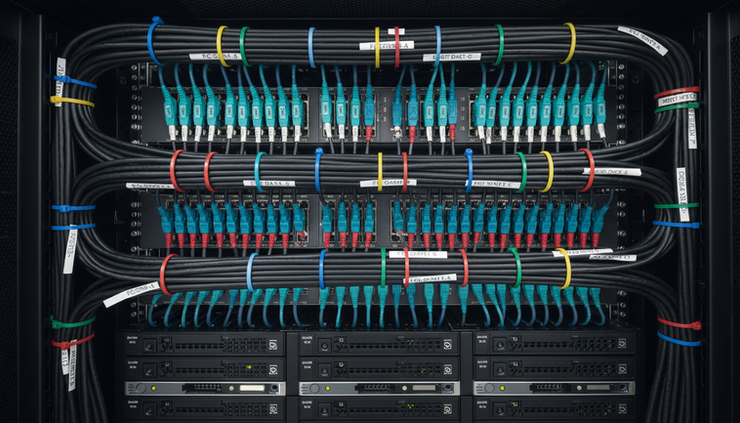
Build a redundant network
Every production SAN should have redundant paths.
For Fibre Channel, use two fabrics. Each server should connect to both fabrics. Each fabric should connect to both storage controllers.
For iSCSI, use at least two dedicated switches or two isolated network paths. Avoid mixing storage traffic with normal user traffic unless the design is small and carefully controlled.
Use multipath software on every host. Test failover before go-live.
Update servers and firmware
Check versions before integration.
Review:
Server BIOS and firmware
HBA or NIC firmware
SAN switch firmware
Hypervisor patches
Multipath drivers
Storage array firmware
Backup agent versions
Version mismatch causes many SAN issues. Validate compatibility with the vendor matrix.
Use clean zoning and access control
For Fibre Channel, configure zoning properly. For iSCSI, use access control with IQNs, CHAP where needed, and separate VLANs.
Keep host access limited to required volumes. Do not expose all LUNs to all servers.
Name volumes clearly. Use a naming pattern that shows application, environment, and purpose.
Example:
`prod-sql01-data-01`
`prod-sql01-log-01`
`vmware-cluster01-ds01`
Plan migration in phases
Do not migrate every workload in one night.
Start with non-critical systems. Validate performance, backups, monitoring, and failover. Then move larger workloads.
A safe migration plan includes:
Change approval
Backup before migration
Rollback plan
Downtime window
Application owner sign-off
Validation checklist
Monitoring during and after migration
For virtualised environments, storage migration tools can reduce downtime. For databases, plan carefully with backups, log shipping, replication, or maintenance windows.
Integrate with backup and DR
SAN snapshots are useful, but they are not a full backup.
Keep a 3-2-1 style backup approach:
Three copies of data
Two different storage media or systems
One copy offsite or isolated
Include immutable backup where possible. Test restore, not just backup completion.
If using SAN replication, define which workloads need synchronous or asynchronous replication. Synchronous replication needs low latency between sites. Asynchronous replication works better over longer distances.
Monitor from day one
Set up monitoring before production use.
Track:
Capacity usage
Latency
IOPS
Throughput
Controller load
Port errors
Disk health
Replication status
Snapshot growth
Failed paths
Configure alerts for capacity thresholds. Storage outages often begin as warnings that no one reviews.
Document the final design
After implementation, keep documentation current.
Include:
Rack layout
Cabling map
IP addresses
Fabric zoning
Host mapping
LUN list
Firmware versions
Support contract details
Escalation process
Backup and recovery steps
Good documentation reduces downtime during incidents and upgrades.
Common buying mistakes to avoid
Many SAN projects run into trouble because of poor assumptions.
Avoid these mistakes:
Buying on raw TB price alone
Ignoring support and spares availability
Running iSCSI over an overloaded production LAN
Underestimating snapshot capacity
Missing SAN switch and HBA costs
Assuming all SSD SAN systems perform the same
Forgetting power, cooling, and rack space
Skipping compatibility checks
Not testing failover
Treating snapshots as backups
Letting capacity reach critical levels
Not budgeting for support renewal
A SAN is core infrastructure. Cheap design decisions can become expensive outages.
A practical selection checklist
Use this checklist before requesting quotes.
Requirement | What to confirm |
Workload fit | Database, VM, ERP, backup, VDI, analytics, or mixed use |
Protocol | Fibre Channel, iSCSI, NVMe over Fabrics, or mixed |
Capacity | Usable capacity today and three to five-year growth |
Performance | IOPS, latency, throughput, peak load |
Availability | Dual controllers, redundant paths, RAID, failover |
Data protection | Snapshots, replication, encryption, immutable backup support |
Compatibility | Servers, hypervisors, OS, switches, backup software |
Support | 24x7, onsite SLA, spares in India, escalation path |
Licensing | Included and paid features |
Total cost | Hardware, fabric, licences, services, GST, renewal |
Send the same checklist to all vendors. This makes comparison fair.
FAQ
Is SAN better than NAS for business applications?
SAN is better for block-level workloads such as databases, virtual machines, and ERP systems. NAS is better for file sharing, user folders, and general file storage. Some systems support both, but the workload should decide the choice.
How much does SAN storage cost in India?
Entry SAN setups can start in the low-lakh range. Mid-range production systems often cost several lakhs to tens of lakhs. Large all-flash and enterprise systems can cross ₹1 crore. Final cost depends on usable capacity, performance, support, licences, and networking.
Should I choose Fibre Channel or iSCSI SAN?
Choose Fibre Channel for high-end production workloads that need low latency and strong isolation. Choose iSCSI when cost control and Ethernet skills matter. Both can work well if designed correctly.
Is all-flash SAN worth the extra cost?
All-flash SAN is worth it when application response time matters. It helps databases, VDI, virtualisation, analytics, and transaction systems. For archive, backup, or cold data, hybrid storage may be more cost-effective.
Can SAN storage integrate with existing servers?
Yes, if servers, operating systems, hypervisors, HBAs, NICs, and switches are compatible. Always check the vendor compatibility matrix before purchase. Plan firmware updates and multipath configuration before go-live.

Final takeaway
The right SAN storage system can improve performance, uptime, backup readiness, and growth planning. The wrong one can lock money into capacity that does not meet real workload needs.
Shortlist vendors based on reliability, scalability, support, compatibility, and total cost. Compare usable capacity, not raw capacity. Include SAN switches, host adapters, support, licences, and implementation services in the budget.
For most Indian businesses, the best SAN choice is the one that fits current workloads, leaves room for growth, and comes with dependable local support. Start with a storage assessment, then buy the platform that matches the business case.


Comments